
Yes, We Built Another Image Converter. Here’s Why.
Why the world needed a converter that respects metadata, color profiles, and image uniqueness. Learn how we engineered it with WebAssembly and multi-threading.
Yes, We Built Another Image Converter. Here’s Why.
The world definitely did not need “yet another image converter”. And that’s exactly why we built one.
Most converters on the market operate on a fundamentally flawed one‑size‑fits‑all premise:
- They force a fixed quality setting (e.g., 80%) on every image.
- They strip critical data like color profiles (ICC) and metadata (EXIF/IPTC).
- They run on a single thread, choking your browser while processing.
- They support a limited set of formats, often failing on TIFF, HEIC, or RAW.
That approach is efficient for the service provider, but terrible for the user. A quality of 80 might be overkill for a simple geometric graphic (wasting bytes) but insufficient for a high-frequency photograph (causing artifacts).
SciZone takes a different route. We architected a system that respects the uniqueness of every image and the hardware of every user.
Why Choose SciZone?
We're not just another optimizer. We engineered a fundamentally better solution.
| Feature | SciZone(You're here) | Other Optimizers |
|---|---|---|
CPU Utilization How processing power is used | True Multi-ThreadingIntelligently uses all CPU cores without overloading your system | Single-ThreadedUses only one CPU core, wastes available power |
AVIF Encode Speed How fast AVIF actually runs in the browser | Tile-Parallel EncodingEach AVIF image is split into tiles encoded across every core — ~6× faster than single-tile libaom on large photos | Single-Tile Defaultlibaom's internal threading caps around 4 threads per encode, regardless of how many cores you have |
Quality Settings How compression is optimized | Unique Per ImageAlgorithm analyzes each photo and picks optimal settings | One-Size-Fits-AllSame settings for every photo, inconsistent quality |
Metadata & Color Profiles Preservation of image data | Fully PreservedEXIF, color profiles, geolocation. Everything stays intact | Often StrippedColor profiles lost, metadata incomplete |
Quality-Size Balance Optimization results | Perfect BalanceMaximum compression with imperceptible quality loss | InconsistentEither too large or noticeable quality loss |
The Bottom Line
Every photo is unique. Our intelligent algorithm understands this and analyzes each image individually to find the perfect balance between file size and quality. We utilize your computer's full power without overloading it, preserving every detail of your metadata and color profiles.Your files are smaller, faster, and absolutely perfect.🎯
The Architecture of Adaptive Compression
Instead of guessing a quality setting, we built a pipeline that tunes compression per image. We analyze the visual complexity of the file and iteratively test quality levels against perceptual metrics to ensure the smallest possible file size that maintains visual fidelity.
Our client-side pipeline, powered by WebAssembly (WASM), consists of three high-fidelity stages:
1. Entropy Analysis
We begin by analyzing the image’s information density to locate the most visually complex region. This “worst-case” block serves as our quality benchmark. If we satisfy quality constraints here, the rest of the image is guaranteed to look perfect.
2. Iterative Quality Search
We don’t just pick a number. We perform a binary search for the optimal compression level. We continuously encode the reference block and measure the results against strict objective metrics:
- SSIM (Structural Similarity Index) ≥ 0.95: Ensures structural integrity is preserved.
- PSNR (Peak Signal-to-Noise Ratio) ≥ 44.5 dB: Ensures signal fidelity.
3. High-Fidelity Encoding
Once the optimal parameters are found, we compile the final image. The pipeline draws on the same workhorse decoders and encoders desktop apps use, so we support a vast array of input formats — and your color profiles and metadata are preserved all the way through to the final file, not quietly stripped somewhere in the middle.
Performance at the Edge
Processing images this rigorously in the browser takes real compute. We make sure every bit of it is available.
- Native speed. The core is C++ compiled to WebAssembly, using vectorized CPU instructions where they help.
- True multi-threading. We spawn a worker per core your machine can spare, and move image data between them without copying. The UI stays smooth even while thousands of photos are running through the pipeline in the background.
The Result
The result is a converter that consistently produces smaller files than standard tools without the risk of degradation. See for yourself:
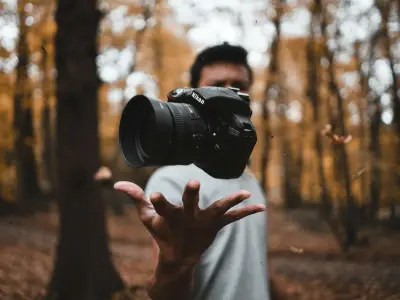
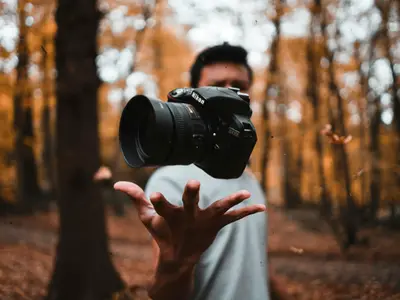
WebP Results
See how WebP compresses real photos with our Excellent preset — the default when you click convert.




Typical WebP savings
Measured on 24 diverse photos at matched perceived quality (SSIM ≥ 0.95)
By prioritizing perceptual metrics over fixed settings and engineering for the edge, SciZone delivers a professional-grade optimization tool that runs entirely in your browser—guaranteeing both quality and privacy.