
Convert JPG, PNG & HEIC to WebP & AVIF
Free, Private, Unlimited
Batch-convert images to WebP or AVIF and reduce file sizes by up to 80% without losing quality. Everything runs locally in your browser — your photos never leave your device. Process 1000+ images at once, with EXIF and color profiles preserved.
In-Browser WebP & AVIF Converter — No Upload, No Limits
Drop your JPG, PNG, HEIC, TIFF or GIF files below and they will be converted to WebP or AVIF directly in your browser. Pick the output format with the toggle above the drop area. Every file is processed locally using a WebAssembly module compiled from C++ (libwebp, libavif, libaom, libheif, libjpeg-turbo, ImageMagick). Nothing is uploaded to a server, nothing is tracked, and there are no size or quantity limits — batches of 1000+ images are routine.
Supported input formats
- ✓JPG / JPEG — Photos, portraits, web content
- ✓PNG — Screenshots, icons, transparent images
- ✓HEIC / HEIF — iPhone photos, Apple formats
- ✓TIFF — Scans, prints, high-resolution archives
- ✓GIF — Animations and static GIFs
- ✓BMP, PSD & more — Anything ImageMagick can decode
How the conversion works
- 1. DropDrag files or a whole folder into the box below. Folder structure is preserved in the output ZIP.
- 2. AnalyzeEach image is analyzed for entropy and content type. The engine picks per-image quality settings targeting PSNR ≥ 44.5 and SSIM ≥ 0.95.
- 3. EncodeConversion runs on all of your CPU cores in parallel via Web Workers. EXIF, ICC color profiles and geolocation are copied onto the WebP or AVIF output.
- 4. DownloadWhen the batch is done, a ZIP containing every converted file downloads automatically. No re-upload, no waiting on a server.
Why Optimize Your Images?
Whether you're a professional or casual user, image optimization solves real problems and saves you time and money.
Free Up Phone Storage
Keep more photos on your phone or tablet without running out of space. Optimize your photo library and never see that "storage full" warning again.
Save on Cloud Storage Costs
Reduce your Google Drive, iCloud, or Dropbox bills by optimizing photos before upload. Smaller files mean lower monthly storage costs and faster sync times.
Send Photos Faster
Share high-quality photos via email or messaging apps without hitting size limits. Your recipients get beautiful images that download quickly.
Faster Website Loading
Speed up your website by reducing image file sizes. Visitors get faster page loads, better user experience, and improved SEO rankings.
Perfect for Professionals
Photographers and designers can optimize portfolios and client galleries while maintaining quality. Showcase your work faster without compromising on visual excellence.
Optimize Old Photo Archives
Convert your old photo collections stored in inefficient formats on home NAS or external drives. Free up valuable storage space while preserving all your memories in a modern, efficient format.
Typical Results
Same preset (Excellent), same perceived quality (SSIM ≥ 0.95). Switch between formats to see what each one pulls off.


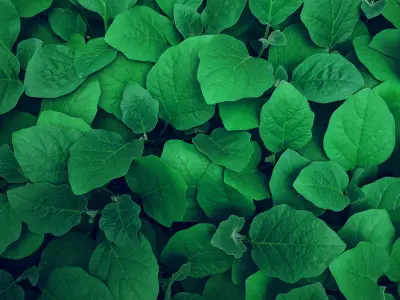
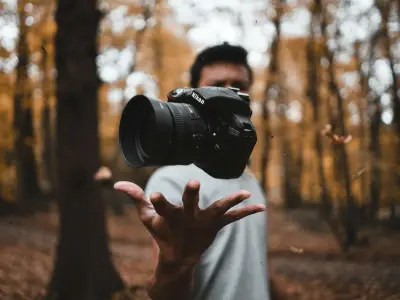
Typical WebP savings
Measured on 24 diverse photos at matched perceived quality (SSIM ≥ 0.95)


Typical AVIF savings
Measured on 24 diverse photos at matched perceived quality (SSIM ≥ 0.95)
Intelligently Engineered. Brilliantly Simple.
We save your time like no one else. Re-engineered from the ground up to be faster, smarter, and safer.
Absolute Privacy
Analysis and optimization happen exclusively on your computer. Your photos never leave your device. That's our guarantee.
Individual Best Settings
We choose the quality for you. Our algorithm finds unique optimal compression settings for each photo automatically. No technical knowledge required.
True Multi-Threading
Harnesses the full power of your CPU with real parallel processing. Not just promises, but actual multi-core utilization.
Metadata Preserved
Color profiles, EXIF data, geolocation. Everything stays intact. Only the file size shrinks.
Instant ZIP Download
Optimization starts the moment you drop files. When done, your ZIP archive downloads automatically. Zero waiting.
Ultra-Lightweight
Minimal bandwidth usage. If you're seeing this message, you're already ready to work offline. No internet required.
Why Choose SciZone?
We're not just another optimizer. We engineered a fundamentally better solution.
| Feature | SciZone(You're here) | Other Optimizers |
|---|---|---|
CPU Utilization How processing power is used | True Multi-ThreadingIntelligently uses all CPU cores without overloading your system | Single-ThreadedUses only one CPU core, wastes available power |
AVIF Encode Speed How fast AVIF actually runs in the browser | Tile-Parallel EncodingEach AVIF image is split into tiles encoded across every core — ~6× faster than single-tile libaom on large photos | Single-Tile Defaultlibaom's internal threading caps around 4 threads per encode, regardless of how many cores you have |
Quality Settings How compression is optimized | Unique Per ImageAlgorithm analyzes each photo and picks optimal settings | One-Size-Fits-AllSame settings for every photo, inconsistent quality |
Metadata & Color Profiles Preservation of image data | Fully PreservedEXIF, color profiles, geolocation. Everything stays intact | Often StrippedColor profiles lost, metadata incomplete |
Quality-Size Balance Optimization results | Perfect BalanceMaximum compression with imperceptible quality loss | InconsistentEither too large or noticeable quality loss |
The Bottom Line
Every photo is unique. Our intelligent algorithm understands this and analyzes each image individually to find the perfect balance between file size and quality. We utilize your computer's full power without overloading it, preserving every detail of your metadata and color profiles.Your files are smaller, faster, and absolutely perfect.🎯
Frequently Asked Questions
Is this really free? How do you make money?
Yes, completely free — no ads, no limits, no signup. This is our passion project. If it saves you time, you can support us with a coffee via the Ko-fi button in the header or footer. That's it.
Can I use this offline?
Yes, absolutely! Once the page loads, everything works offline. You can even add our site to your desktop as a PWA for instant access without opening a browser.
What file formats do you support?
On the input side we handle JPG, PNG, HEIC/HEIF, TIFF, GIF, WebP and AVIF — basically every common image format. On the output side you pick WebP or AVIF with the toggle above the drop zone. RAW format support is on the roadmap.
Should I use WebP or AVIF?
Both are first-class outputs here. WebP encodes much faster (roughly 5–20×) and works in virtually every modern browser including older iOS Safari — best when you're processing large batches or need maximum compatibility. AVIF files are typically 20–25% smaller than WebP at the same visual quality but take longer to encode and need iOS 16.4+ or a recent Chrome/Firefox to open — best for bandwidth-sensitive archives or photography portfolios. You can flip the toggle between batches and compare.
Is EXIF data and metadata preserved?
Yes! We keep all your photo metadata including EXIF data, camera info, color profiles, location data, and capture dates. Only the file size gets smaller. Everything else stays exactly the same.
How do you choose the quality settings?
Our algorithm looks at each photo and automatically picks the best compression settings to get the highest quality with the smallest file size. You get almost lossless quality with much smaller files. No need to know anything technical or adjust settings yourself.
Is the goal to make files as small as possible?
No. The goal is the smallest file size while keeping quality high. We prioritize visual fidelity first, then reduce size as much as we can without noticeable degradation.
Why is my optimized image larger than the original?
Rare, but possible with very small images or ones that are already heavily compressed. Both WebP and AVIF have some container overhead that can outweigh the codec savings below roughly 5–10 KB. Our algorithm optimizes each photo individually and flags the cases where the output would be bigger so you can keep the original.
Are there any file size or quantity limits?
No, there are no limits! You can process as many images as you want, of any size. The only thing that matters is how much memory your device has. We've tested with batches of over 1000 images and files up to 50MB each. Everything runs on your computer, so there are no server restrictions. For best results, we recommend processing 1000 to 2000 images at a time.